 Muser Studio
 📦 Muser Studio v1.0.21:
Visual Metronome Indicator


Release Notes
Features:
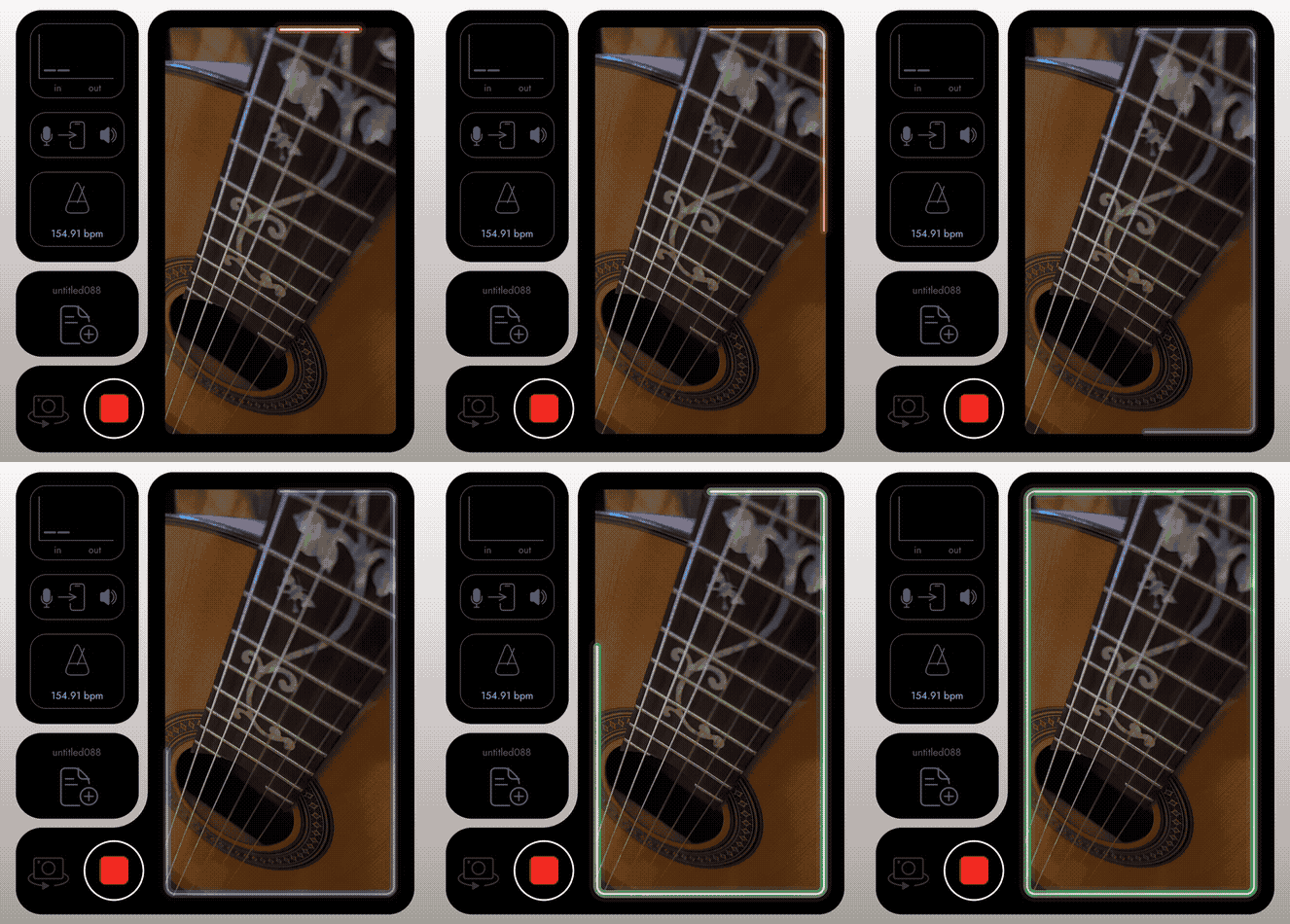
- Visual metronome indicator. Shows beat progression and is colour coded. Green for ideal time to mark your next loop and get your hands back to your instrument,. Red for when you want to end it.
- Audio Pass Through is now orange when latency is too high for a live input monitoring - typical with BlueTooth headphones. Note that recording like this is actually fine, you can hear the metronome and loops in sync, just not your live mic/instrument signal.
Bug fixes:
- If you free-styled your first loop as more than one bar, the metronome displayed the correct bpm but played slowly as if the whole loop was a bar. Fixed now.

🚦🥁 Mark on green, end on red:
Why a visual metronome indicator matters
The natural instinct is to mark the loop start at the exact moment you begin playing. Unless you Quicksilver from the MCU that leaves no time to get your hands back to the instrument, or even to take a breath. The visual metronome indicator fixes this.
The metronome indicator traces around the camera view timed to the beat. When it shifts colour to green, tap to set your loop start a beat or so before you play.
In the same way, to end a loop, you still ohave a moment to make that happen. The tracer in its red zone, indicates you’re in a good spot to tap to end a beat after you finish playing.
Muser Studio interprets these actions and snaps those points to the metronome or to the timing of your first loop. Works great with foot-switches (especially ones with clicky buttons like M-Vave Chocolate), and works fine without one (so you don’t have to be Quicksilver from the MCU).
🛠️ Fixes in this build: better turn orange off 🚫🍊
I heard from a user that they thought Audio Pass Through was “required.” It is not. If fact with Bluetooth headphones the live input has delay, which will most likely throw you off when trying to play/sing. As such Muser Studio now warns you:
when the monitor button is orange, leave monitoring off.
With monitoring off you will still hear the metronome and existing loops in sync, and your recording will stay aligned. Try it and see. If you spot any issues please reach out and I will help get things dialed in!
Thanks again for using and supporting Muser Studio. We are building a looping video camera for musicians and creators, on your phone, in real time, no cables, no fuss.
v1.0.21 is available now for iOS
Photo credit: Johnny Rogers
No comments yet - be the first!