 Muser Studio
 How to Loop a Video on iPhone — Without Editing

Looping videos on iPhone
If you’ve ever searched “how to loop a video on iPhone”, you’ve probably run into a lot of hacks. Things like replaying videos in the Photos app, using editing apps to duplicate clips, or importing into a timeline just to repeat a moment.
But what if you want to create a looped video without all the editing?
That’s exactly where Muser Studio fits in.
🎬 Is this the loop you’re looking for?
Most guides focus on playback tricks like how to make a video repeat in your gallery or browser. But there’s an alternative that allows you to:
- record looping video content - not just play it
- capture an idea or performance - without trimming it after the fact
- create something repeatable, expressive, and shareable
🔁 Looping vs. Loop Playback: the difference
Looping can be just a playback setting. Things get more interesting when you think of it as a creative format.
Think of a looped video like a mini performance. Whether you’re building harmonies, laying down a beat, or just capturing a melodic/rhythmic moment, each loop adds a layer. Together, they become the piece.
Most tools aren’t designed for that kind of flow. Muser Studio is.
📱How to Loop a Video on iPhone with Muser Studio
Here’s how to create a looped video performance on your iPhone, without editing or export gymnastics.
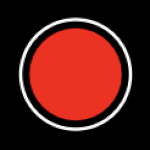
🔴Step 1: Tap the red circle to start recording
This begins capturing your video and audio live.
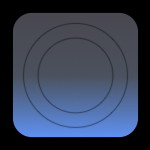
🔁Step 2: Tap a loop button to start a loop
Once you start recording the loop buttons become available. Use any empty button from the grid. This marks the start of a loop. A red ring appears to show it’s being defined.
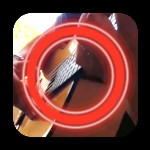
🔁Step 3: Tap the same button again to end the loop
The loop starts playing back immediately while you continue recording. Each layer stacks perfectly in sync, giving you freedom to focus on the performance, not the tap timing.
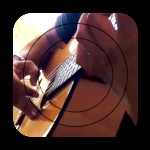
✨Step 4: Add more loops to build your piece
Record harmonies, beats, textures, loop by loop.
Up to 8 of them!
⏹️Step 5: Tap stop to end your session
Muser Studio immediately starts rendering your looped performance.
▶️Step 6: Watch it back and share
You’ll get a clean, edited video with your loops arranged and timed just as you recorded them. The moment, captured and looped.
🎧 Why It Works
You shouldn’t need a desktop setup to share an idea. Muser Studio is built for performers, singers, rappers, beatboxers, and musicians who want to:
- Capture ideas fast
- Layer creatively
- Loop while recording
- Share it right from their phone
It’s not just a video-repeater, it’s your pocket-sized performance tool.
✨Ready to Try?
Muser Studio is free to download. Whether you’re building a groove on the go or harmonising in your kitchen, you can create looped performances in the moment. No editing required.

No comments yet - be the first!